

The Complete Guide to Client Follow-Ups
4min read
|
Apr 01, 2026
Have you ever lost deals not because of pricing or competition, but because follow-ups fell through the cracks? An inquiry comes in. A proposal gets sent. Then things get busy.
- There's no system to track the next step.
- No reminder set.
- No clear follow-up plan.
Days pass. The client moves on, and the opportunity is gone.
If your follow-ups feel scattered or easy to forget, but a full CRM system feels like too much, you're not alone. This guide will show you how to build a simple system yourself, choose the right timing, and follow up professionally without sounding pushy.
How to Follow Up with Clients without Forgetting
Many businesses lose opportunities not because of price or competition, but simply because follow-ups get lost in the shuffle. Leads arrive from multiple channels - emails, social media, phone calls - and it's easy to let tasks slip when you rely only on memory. What starts as a small oversight can turn into a lost deal without anyone realizing it.
The solution isn't complex. It's about creating a reliable but simple system that ensures each client interaction ends with a clear understanding of the next step. This doesn't require sophisticated software; even a simple spreadsheet or a calendar reminder can be enough. The key is discipline - updating your system daily so that no lead is forgotten. Over time, this routine turns chaotic follow-ups into a predictable and professional process.
Building a Consistent Routine
Consistency is the backbone of effective follow-ups. Even the most organized system will fail if it isn't given daily attention. Setting aside 20-30 minutes each day to review pending follow-ups, send messages, and schedule next actions can transform what once felt chaotic into a predictable workflow. Over time, clients notice this professionalism, and more opportunities are successfully converted.
There are several tools and methods that can support this routine, depending on your workflow and personal preferences:
1. Mark Emails as Unread and Set a Daily Alarm
A surprisingly simple method is to mark emails that require follow-up as unread and set a daily alarm to process them at a specific time. This creates a visible cue in your inbox, combined with an external reminder, ensuring nothing slips through the cracks. The key here is discipline: the system only works if you commit to handling those marked emails consistently during your scheduled time.
2. Google Calendar
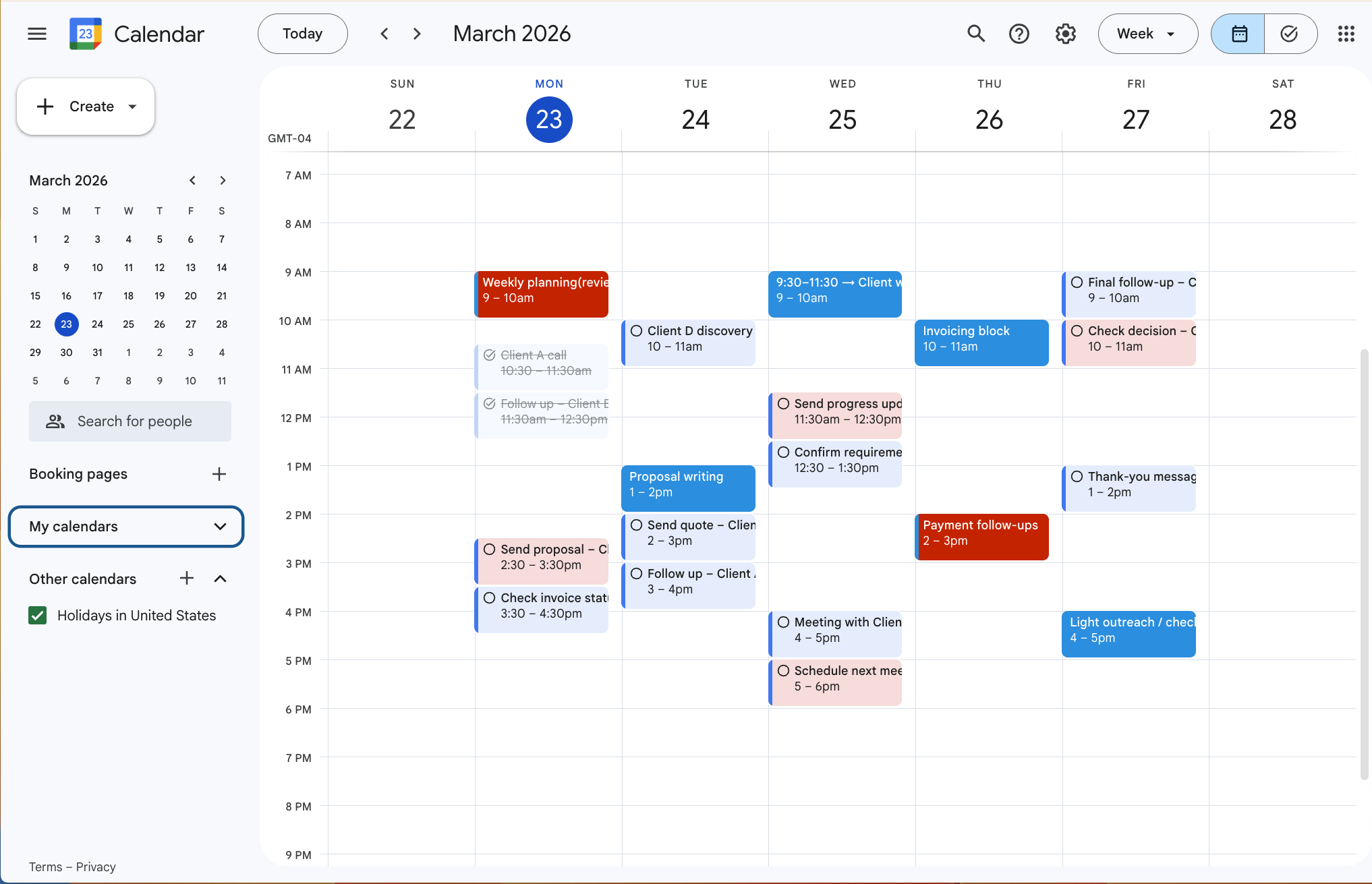
Google Calendar allows you to schedule follow-up reminders directly on your daily agenda. You can create events for each follow-up, set notifications in advance, and even color-code them by priority. The visual nature of a calendar helps you see your day at a glance and integrate follow-ups seamlessly with your other tasks. For many people, having a single place where both appointments and follow-up actions live makes staying on top of leads much easier.
3. Google Tasks
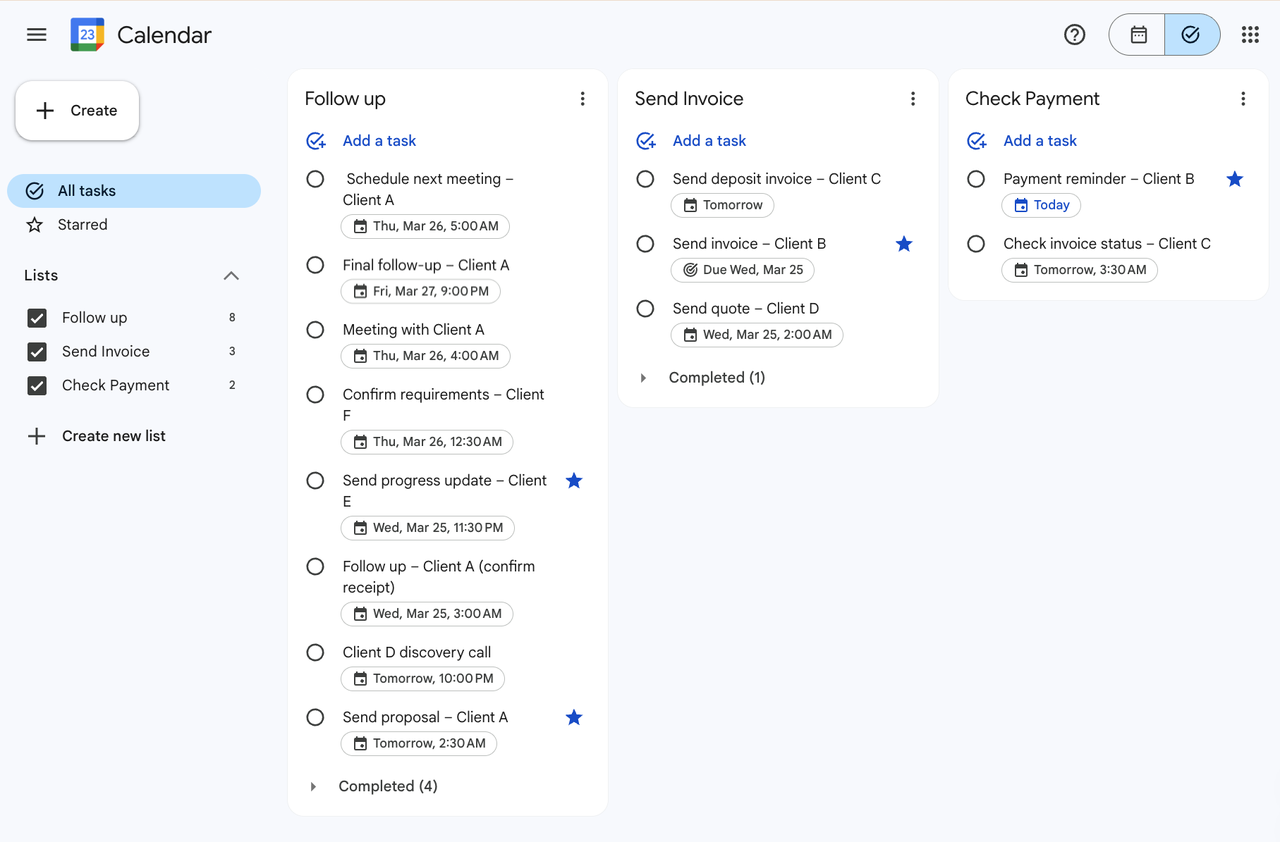
Google Tasks integrates with Gmail and Calendar, letting you turn emails into actionable tasks with due dates. Unlike just leaving emails unread, Tasks provides a central place to track next steps. You can add notes, subtasks, and reminders, making it easier to manage multiple leads without losing context. This method is particularly useful for people already working heavily in Google Workspace.
4. To-Do List Tools
Dedicated to-do list apps like Todoist, Microsoft To Do, or TickTick allow you to manage follow-ups in a structured way. You can prioritize tasks, add deadlines, and even categorize by client or project. The advantage is that it keeps all follow-ups in one place separate from your inbox, reducing cognitive overload. The challenge is choosing a tool you'll actually check daily; too many features can backfire if the system becomes overwhelming.
The most important principle across all these methods is simplicity and centralization. If your system is too complex or scattered across multiple apps and spreadsheets, you're less likely to check it consistently. Keeping all follow-up information in one place, using a system that you can realistically maintain every day, is far more effective than trying to leverage multiple sophisticated tools that end up unused. In practice, a simple, well-maintained workflow - whether it's marking emails and setting alarms or using a lightweight CRM - will outperform a complicated but neglected system every time.
Best Time to Follow Up with Clients
Timing Matters More Than You Think
When you follow up is often as important as what you say. Following up too soon can feel pushy; waiting too long can let interest fade. For new inquiries, 24-48 hours is ideal to keep the conversation warm. After sending a proposal, giving clients a few days to review is generally the most effective. Waiting three to five business days strikes a balance between persistence and patience.
For clients who go silent, a subtle, gradual approach works best. Following up at increasing intervals - say, day two, day five, day ten, and finally around day twenty-one - keeps you on their radar without being intrusive.

Choosing the Right Window
Time of day and day of the week also matter. Mid-week, during business hours, tends to produce the highest response rates. For example, sending messages on Tuesday through Thursday between 9-11 AM or 1-3 PM is usually more effective than late Friday or weekend outreach. Following this pattern ensures your messages land when clients are most receptive.
Equally important is knowing when to stop. Repeated outreach after multiple non-responses or a clear rejection can harm your credibility. Professional follow-up is about reliability, not pressure.
How to Follow Up without Being Pushy
Understanding Pushiness
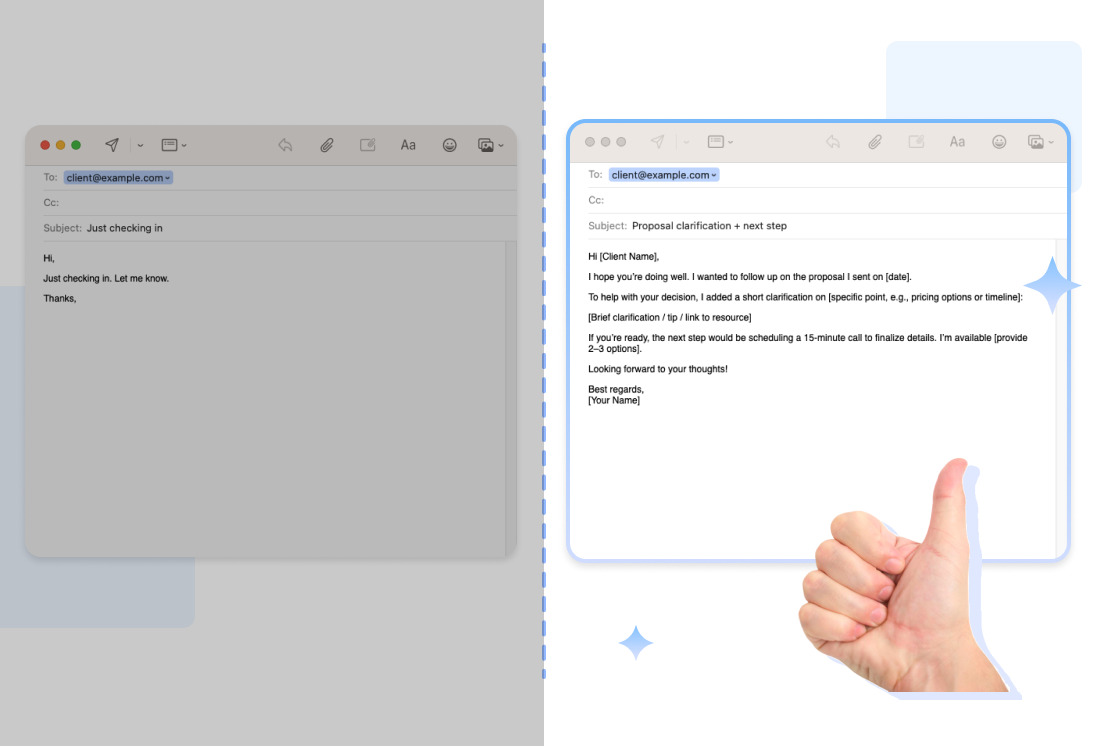
Being pushy is less about how often you contact a client and more about how you communicate. Generic "Just checking in" messages, or messages that offer no value, are easy to ignore and can frustrate clients. What sets effective follow-ups apart is that each one adds context, provides value, and clearly outlines the next step.
For example, instead of sending a simple nudge, you might follow up on a proposal and include a short clarification or resource that helps the client make a decision. This approach positions you as helpful rather than intrusive.
Crafting Effective Messages
Clients are busy, not rejecting you personally. The easier you make it for them to respond, the more likely they are to do so. Effective follow-ups combine a clear reminder with something useful - a clarification, a brief summary of next steps, or a gentle closing question if there's been no response for a while.
You can also reinforce professionalism by attaching relevant documents that make decision-making easier. For example, including a clear proposal recap, a structured purchase order, or a professionally formatted invoice signals that you are organized and ready to move forward. Well-prepared documents reduce friction and help clients visualize the next step.
Instead of writing another "just checking in" email, you might say:
- "I've attached a revised breakdown for clarity."
- "Here's a formal invoice draft for your review."
- "I've included a purchase order summary to simplify approval."
When your follow-up contains clarity, structure, or helpful documentation, it no longer feels like pressure. It feels like progress.
Over time, this approach increases response rates and strengthens your professional image without sounding pushy.
Final Thoughts
Once a deal is closed, follow-ups don't stop — they just shift to a different stage. If you've sent the invoice and payment is overdue, see our guide on how to follow up on unpaid invoices. Follow-ups aren't just tasks to check off a list - they're a reflection of how much you value your client's time and attention. Building a system, following the right timing, and communicating with tact transforms follow-ups from an anxiety-inducing chore into a professional strength.
From personal experience, the most successful businesses aren't those that chase every lead relentlessly - they're the ones that are consistent, respectful, and strategic in their follow-ups. It's about making it easy for clients to move forward and showing that you're reliable, not desperate. A well-managed follow-up process is one of the simplest ways to win trust and close more deals, day after day.
Most Popular Pages
Try Invoice Zip Today
Start Sending Invoices, Building Reports, Saving Office
Time and Get Paid Faster.