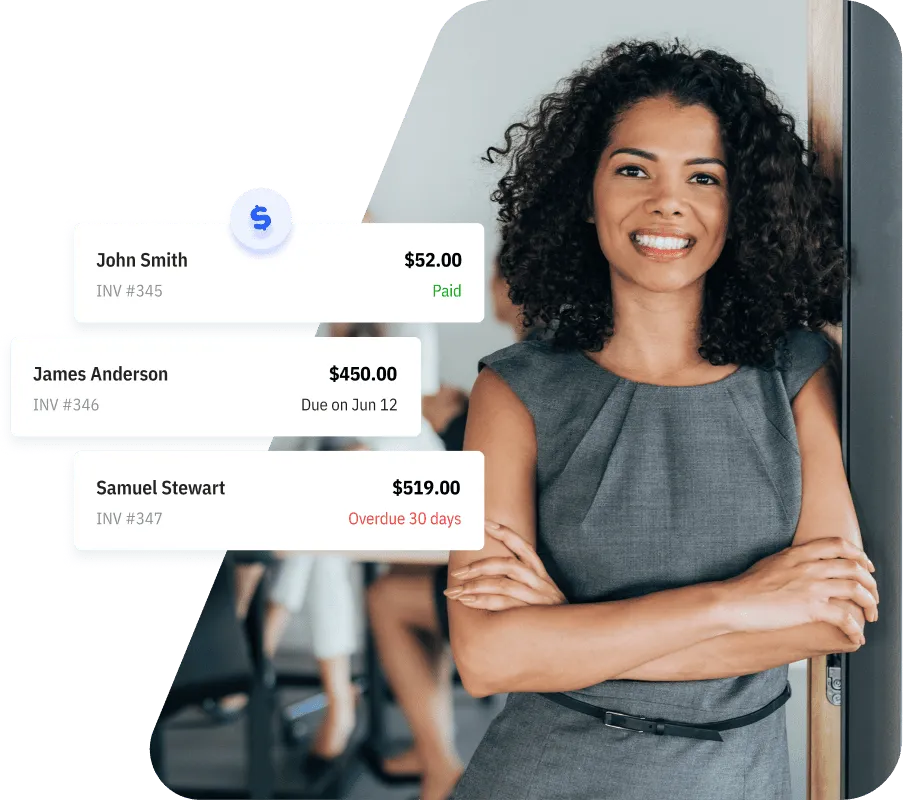


What Is Vendor Invoice Management?
By Invoice Zip Editorial Team
12min read
Published:
Invoices arrive by email, in paper envelopes, through supplier portals, and as PDFs forwarded from a project manager's inbox. Some get paid on time. Others vanish into a thread, get paid twice, or sit until a supplier calls asking where the money is. If that sounds familiar, you have a vendor invoice management problem — even if you have never called it that. The good news is that it is just a name for a set of repeatable steps, and once you can see those steps, you can fix the ones that leak time and money.

Quick Answer: The Whole Life of a Supplier Bill
Vendor invoice management is the end-to-end process a buyer uses to handle bills from suppliers — from the moment an invoice arrives until payment is made and the transaction is recorded. It covers:
- Capturing invoice data accurately.
- Validating and matching it against purchase orders and receipts.
- Routing it for approval under clear rules.
- Scheduling and executing payment.
- Reconciling records and reporting for audits and cash-flow planning.
Done well, it protects cash flow, prevents duplicate and fraudulent payments, keeps suppliers happy, and makes your financial records trustworthy. Done badly, it is a quiet tax on your team's time.
The term is often confused with two neighbors. They nest rather than compete:
| Term | Starts at | Ends at |
|---|---|---|
| Procure-to-pay (P2P) | Purchase requisition | Payment and reconciliation |
| Accounts payable (AP) | Vendor setup and invoice receipt | Payment, reconciliation, reporting |
| Vendor invoice management (VIM) | Invoice receipt | Approved bill posted to the ledger |
P2P is the widest cycle, AP is its finance function, and VIM is the invoice-handling slice of AP. Payment runs and vendor reconciliations sit outside VIM, so clear boundaries tell you where one process ends and the next owner takes over.
In ERP projects the acronym can mean something narrower. In some ERP environments, "VIM" refers to an add-on module that runs this workflow inside the ERP itself: invoices are captured, exceptions and approvals become in-system workflows, and approved bills post straight to the ledger. The underlying steps are the same as the ones described here — what changes is where they run and who maintains them. ERP-embedded tools are usually configured by the internal IT team or an implementation partner, while standalone AP tools sit beside the ERP and sync approved bills into it.
Why Vendor Invoice Management Matters
Invoice handling is not back-office trivia; it directly affects money. APQC's 2024–2025 benchmarking and Ardent Partners' 2025 research — both summarized in the metrics table below — show that what it costs to process one invoice varies several-fold between a typical operation and a well-run one. Ardent put the average around $9.40 and the best-in-class figure near $2.78. That gap on the same basic task comes almost always from process discipline and automation, not talent. Every invoice that is keyed by hand, approved over email, or paid twice widens it.
The stakes go beyond cost. Errors and delays in supplier payments can shorten the terms a supplier is willing to offer, reduce the quality of what they deliver, and damage your reputation as a reliable buyer. Missing or duplicate invoices disrupt payment schedules and cash flow, while a payment to a fraudulent or altered bank account is money that is very hard to recover. A well-run process is a control system as much as an efficiency project.
The Vendor Invoice Management Process, Step by Step
Step 1: Capture the invoice
Receive every invoice through one controlled channel — a shared inbox, a portal, or a scanning workflow. Extract the key fields: vendor name, invoice number, date, line items, tax, amount, and payment terms. The goal is complete, duplicate-checked data at the front door. The control here is simple: one intake point means no invoice can be lost in someone's personal inbox.
Step 2: Validate and match
Check the invoice against the supporting documents. Two-way matching compares invoice to purchase order; three-way matching adds the goods-receipt record. Matching confirms you are billed for what you approved and received, and it stops payment for goods never ordered or delivered. For a closer look at the mechanics, see our guide to 3-way matching in accounts payable.
Step 3: Route for approval
Move validated invoices through an approval workflow based on amount, department, or vendor type. Rules should live in the system, not in someone's memory, so approvals do not stall when a person is away. The control is a spending limit: nobody can commit the company without authority.
Step 4: Schedule and pay
Authorize payment for the correct amount to the correct bank details, timed to the agreed terms. Pay deliberately: capture early-payment discounts when the math favors it, and avoid late fees by paying on schedule. The control is paying the right amount, once, to a verified bank account.
Step 5: Reconcile and report
Match your AP records to bank statements, keep an audit trail, and track metrics. This closes the loop, gives finance a real-time view of liabilities, and leaves a defensible record of what you owe. Our guide on how to track payments and mark invoices as paid walks through the tracking side.
Steps two through four are where genuine exceptions are created and resolved, so it helps to see each one as a control with a specific job:
| Step | Risk it controls | Typical control |
|---|---|---|
| Receive & capture | Invoices lost or paid late | One AP inbox; date-stamp on arrival |
| Validate | Fake or changed vendors; duplicates | Vendor-master check; duplicate check on vendor, number, amount |
| Match | Overbilling; billing for goods not received | Two- or three-way match within price and quantity tolerances |
| Approve | Spending without authority | Approval matrix; segregation of duties |
| Resolve exceptions | Variances waved through | Named owner, reason, and deadline for each exception |
| Post & pay | Wrong period; changed bank details | Cut-off rules; bank-change verification before payment |
Each step exists to stop a specific mistake — paying a fake vendor, paying twice, paying for goods never received, or paying without authority. If a step in your process has no control attached, it is probably a place where money leaks.
Matching Tolerances and Exceptions
The process section above introduced the two matching levels; the practical question is how to run them without creating a flood of exceptions. The receiving document is what makes three-way matching worth the extra effort — it catches short shipments, overbilling, and invoices for items never delivered, gaps a purchase order alone cannot reveal. But every additional check creates more items to investigate, so set sensible tolerances: a trivial freight rounding difference should not park an invoice for three days. Define thresholds by value and category, route genuine mismatches to the right owner, and let small variances pass automatically.
One gap deserves its own mention: neither two-way nor three-way matching compares the unit price on the invoice to the price you negotiated in the contract. A supplier can bill the correct quantity against a valid PO and still overcharge per unit. If pricing is a risk in your category, add a separate price-compliance check against the agreed rate — it catches overbilling that quantity matching alone will never see. Matching should catch real errors, not manufacture busywork for your AP team.
Key Metrics: Is Your Process Working?
You cannot fix what you cannot see. These are the measures that matter, with context drawn from published benchmarks:
| Metric | What it tells you | Benchmark context |
|---|---|---|
| Cost per invoice | Total AP cost divided by invoice count | Median $21.40 vs. top quartile $10.18 (APQC, 2024–25) |
| Cycle time | Days from receipt to approved/paid | Average ~9.2 days; best-in-class ~3.1 (Ardent Partners, 2025) |
| First-pass approval rate | Share approved without rework | High rate = clean data at receipt |
| Touchless rate | Share processed with no manual touch | All-buyer average near 25%; top teams higher (Ardent Partners, 2025) |
| Duplicate payment rate | Duplicates per period | Ideally zero |
Track these monthly. A rising exception rate usually signals a data-quality problem upstream, not a people problem downstream. Two other signals are worth watching: the share of invoices that arrive electronically (e-invoicing reduces keying and errors at the source), and how long exceptions sit before they are resolved. A process can look fast on paper while a small pile of unresolved exceptions quietly ages past its due date.
Common Problems and How to Fix Them
- Lost invoices — centralize intake; one inbox or portal, no exceptions.
- Manual data entry errors — automate capture with OCR/AI extraction and validation rules.
- Approval limbo — define routing rules by amount and type, with reminders and escalations.
- Duplicate payments — run a duplicate check on vendor + invoice number + amount + date before every payment run.
- Missed discounts and late fees — time payments deliberately instead of paying at random.
- Fraudulent or altered invoices — verify any change to bank details through a known contact, and require a second approval for new vendors or revised payment instructions.
Fraud deserves a closer look because the losses are disproportionate. Common patterns include a fake vendor added to the master file, a bank-detail change arriving by compromised email, an otherwise valid invoice with altered payment instructions, and a bill for goods that never arrived. Each has a boring, effective countermeasure: verify new vendors and bank changes through a phone number you already trust; separate the person who creates a vendor from the one who approves payment; let three-way matching catch phantom deliveries. None of these require advanced technology — they require that the controls in the table above are actually enforced.
Notice that most of these problems trace to the same root: an undocumented process that depends on people remembering to do the right thing. Write the process down, then automate the routine parts. Compliance belongs in the same conversation: because every invoice becomes a record for tax and audit, keeping a clear trail of who approved what — and when — turns a routine review into a short task instead of a reconstruction exercise.
Manual vs. Automated Vendor Invoice Management
| Area | Manual | Automated |
|---|---|---|
| Intake | Email inboxes, paper, shared folders | Centralized digital intake |
| Data entry | Keyed by hand | OCR and AI extraction |
| Matching | Manual PO lookups | Automated 2-way / 3-way matching |
| Approvals | Chased by email | Rules-based routing and reminders |
| Visibility | Hard to track status | Real-time dashboards |
| Compliance | Depends on people | Built-in controls and audit trails |
The point is not that people become irrelevant — it is that their effort moves from typing to judgment. If you need a PO number to make matching work, make sure your team understands what a PO number is and requires one on procurement.
Four Ways to Implement It
There is no single correct way to run this process — the right level depends on your invoice volume, number of vendors, and how much control you need. Most small businesses move through these options in order:
- Spreadsheets and a shared folder — workable for the first few dozen invoices a month, but error-prone and hard to audit as volume grows.
- Accounting software with AP features — a natural next step when your books already live in one system; it connects invoice records to your ledger.
- Dedicated invoice-management software — adds automated capture, rules-based routing, and real-time reporting for teams processing hundreds of bills.
- Outsourcing to a specialist provider — hands the whole workflow to a third party when processing is not a core competence.
Whichever path you choose, document the process before you automate it — a tool that runs a messy workflow just makes the mess move faster. Start with the level that solves today's bottleneck, and upgrade when the metrics tell you it is time.
If you do reach the point of comparing dedicated tools, judge them on a few concrete dimensions rather than a feature list:
- ERP fit — is the connector live for your system, and does it write back a posted bill, a draft, or just a file to import?
- Matching depth — line-level two- and three-way matching with tolerances, not merely a PO-number check.
- Exceptions — a queue with named owners and reasons, not just a flag on the invoice.
- Approvals — routing by amount, department, and vendor, with delegation and reminders.
- Pricing model — per-user fees grow with every approver; per-invoice fees grow with volume. Model both at your scale.
- Payments — does the tool pay vendors, or leave payment to your ERP or bank?
Who Owns the Process?
In a small business, one person may handle every step — and that is fine. As you grow, the roles separate, and unclear ownership is where invoices stall: the requester confirms receipt, the approver authorizes spend against budget, accounts payable validates and schedules payment, and the finance lead owns policy and reporting. When a hat is worn by nobody, invoices sit in limbo. Write the owners down, even if one person wears several today — that clarity lets you add automation later without re-deciding who does what.
Setting Submission Rules for Your Vendors
A large share of invoice problems begin before the bill reaches you — with the supplier. The single most effective, lowest-cost control is telling vendors exactly what a valid invoice must contain and where to send it. Put this in your onboarding paperwork, not in a reply after the first invoice goes wrong. A clear rule set typically includes:
- The submission channel: one designated inbox, portal, or address.
- The required format, such as PDF or electronic invoice.
- Mandatory fields: legal name, invoice number, date, PO number, line items, tax, and total.
- Payment terms and the accepted payment methods.
- Who to contact about a rejected or disputed invoice.
When vendors know the requirements, they submit cleaner invoices, and your exception rate falls without any software. This is a process fix, and it should come before any automation purchase — automating a messy intake just processes mess faster. Good rules also include a communication promise: tell suppliers your standard payment window, and flag a late payment before they have to chase you. Suppliers who know when to expect money rarely escalate.
Why Visibility Changes Behavior
Visibility alone changes how a team behaves. When invoice status lives in one shared queue, nobody asks "did anyone approve this?" — exceptions surface while they are still small, and a supplier's payment question gets an answer in seconds. A single shared tracker with named owners and due dates captures much of this benefit; add software only when the tracker itself becomes the bottleneck. Over time, predictable payment and clear communication become a real advantage in supplier relationships.
This article provides general information and is not legal or tax advice. Data sources: APQC, Accounts Payable benchmarking 2024–2025; Ardent Partners, State of ePayables 2025. Figures reflect published benchmarks and vary by organization.
Frequently Asked Questions
Is vendor invoice management the same as accounts payable?
Not exactly. Accounts payable is the broader function of paying the company's bills. Vendor invoice management is the invoice-handling portion of it — the intake, matching, approval, and tracking that lead up to payment.
What is a good cost per invoice?
Benchmarks vary widely; the metrics table above shows the typical spread. If your cost per invoice is in the tens of dollars, manual handling is likely the culprit.
Why do duplicate payments happen?
Usually because the same bill arrives in two formats — a PDF by email and a paper copy by mail — or because there is no check across vendor, invoice number, amount, and date before a payment run.
When should a small business automate invoice management?
When volume makes manual handling the bottleneck — missed discounts, late fees, or hours spent keying and chasing. Fix the process first, then automate; otherwise you just automate a broken workflow.
Most Popular Pages
Try Invoice Zip Today
Start Sending Invoices, Building Reports, Saving Office
Time and Get Paid Faster.